Picking a CMS in 2026: Firepanel vs FireCMS, Retool, Rowy, Strapi, Contentful and Sanity

Luis Freire
Founder & CTO

Choosing a CMS in 2026 is no longer a simple comparison between WordPress and a few headless alternatives.
The category now includes several fundamentally different products:
- Headless content platforms designed to become your content backend
- Firebase-native admin panels that sit on top of data you already have
- Internal-tool builders that let you assemble a custom backoffice
- Open-source frameworks that trade convenience for control
- AI-assisted platforms that can generate schemas, content and operational interfaces
These products are frequently grouped together because they all provide forms, tables, media fields and user permissions. Architecturally, however, they solve different problems.
That distinction matters more than any feature checklist.
If your application already uses Firestore, moving content into a separate headless CMS may duplicate data and introduce another API, another permissions model and another operational dependency. If you need a highly customized internal workflow spanning several databases and APIs, a purpose-built Firebase CMS may be too opinionated. If your main challenge is enterprise editorial governance across dozens of websites and markets, a lightweight database admin panel will not replace a platform such as Contentful or Sanity.
This guide compares seven popular options from a practical developer perspective:
- Firepanel
- FireCMS
- Rowy
- Retool
- Strapi
- Contentful
- Sanity
The objective is not to declare one universal winner. It is to identify which type of product fits each architecture, team and budget — and where Firepanel is particularly strong for Firebase and Firestore projects.
Pricing and product capabilities in this article were checked in July 2026. SaaS pricing changes frequently, so verify the latest plan before making a final decision.
First, decide what you are actually looking for
Developers use several different terms when searching for the same general solution:
Firebase CMS — usually means a structured content management interface connected to Firestore.
Firebase admin panel — often means an operational interface for managing users, documents, orders, game data or app configuration.
Firebase GUI — generally means a visual alternative to editing raw documents in Firebase Console.
Firebase backoffice — usually means an internal interface for support, content, moderation or business operations.
Firestore CMS — emphasizes Firestore as the source of truth rather than a separate content database.
Firestore admin panel — emphasizes direct management of existing collections and documents.
These terms overlap, but the expected workflow can be different.
A marketing team may need rich text, reusable content blocks, media management and publishing workflows. A game studio may need player inventory, currency, rewards and moderation actions. A mobile app team may need to manage onboarding content, app configuration, users and push notifications. A SaaS company may need all of the above.
Before comparing vendors, answer one architectural question:
Should the CMS replace your content backend or manage the backend you already have?
This divides the market into three broad categories.
1. Firebase-native CMS and admin platforms
Firepanel, FireCMS and Rowy are designed around Firebase or Firestore.
Your data remains in your Firebase project. The product provides a better interface and additional workflows on top of it.
- This category is usually the most practical when:
- Your app already uses Firestore
- Mobile or web clients read data through Firebase SDKs
- You do not want to migrate or synchronize content
- You need a usable backoffice quickly
- Developers and non-developers need controlled access to production data
2. Internal-tool builders
Retool is the clearest example in this comparison.
It connects to databases and APIs, then gives you components for building your own operational application. It is broader than a CMS and can support almost any business workflow.
This category is usually the best fit when:
- You need highly customized screens and workflows
- Your data is spread across several services
- You need to combine Firestore with SQL, REST, GraphQL, Stripe or other systems
- You have time to design and maintain the internal application
3. Independent headless CMS platforms
Strapi, Contentful and Sanity become a separate content system in your architecture.
Instead of managing existing Firestore documents directly, content is generally modeled and stored inside the CMS, then delivered to your application through APIs.
This category is usually the best fit when:
- Content is a major domain of the product
- You want content decoupled from the application database
- You need sophisticated editorial workflows, localization or omnichannel delivery
- You are prepared to operate an additional backend or SaaS dependency
Once this distinction is clear, the comparison becomes much easier.
Quick comparison
| Platform | Best suited to | Existing Firestore data | Typical setup effort | Pricing starting point* | Main trade-off |
|---|---|---|---|---|---|
| Firepanel | Firebase apps needing a ready-made CMS and backoffice | Native, including Firestore Enterprise and MongoDB compatibility mode | Minutes | Free; paid from €9.99/month | Specialized around Firebase rather than every possible database |
| FireCMS | Developers wanting a Firebase CMS framework, managed cloud or self-hosting | Native Firestore support | Fast in Cloud; more work when self-hosted/customized | ree Community; Cloud Plus €9.99/user/month | Deep customization may require React and deployment work |
| Rowy | Spreadsheet-style Firestore management and low-code backend workflows | Native Firestore support | Fast, with optional GCP deployment components | Free; Pro listed at $12/seat/month | More backend-builder/spreadsheet oriented than traditional editorial CMS |
| Retool | Custom internal applications spanning many systems | Connects to Firestore as one of many resources | Medium: screens and workflows must be built | Free; Team pricing is per builder and internal user | Powerful but not a ready-made Firebase content manager |
| Strapi | Open-source, general-purpose headless CMS | Separate backend; Firestore requires custom integration | Medium to high | Free self-hosted Community; Cloud from $35/project/mont | You operate or pay for a separate content backend |
| Contentful | Enterprise and mid-market content operations | Separate SaaS content backend | Medium | Free; Lite $300/month | Strong editorial platform, but expensive for small Firebase projects |
| Sanity | Developer-customizable structured content and real-time editorial workflows | Separate Content Lake | Medium | Free; Growth $15/seat/month | Excellent flexibility, but schemas and Studio configuration require development |
(*) Public pricing checked in July 2026. Infrastructure, overages, AI usage and enterprise add-ons can change the real total cost.
Firepanel: best when Firebase is already your backend
Firepanel is built specifically for Firebase and Firestore. It is not a generic CMS with a Firebase connector added later.
That difference is visible during setup.
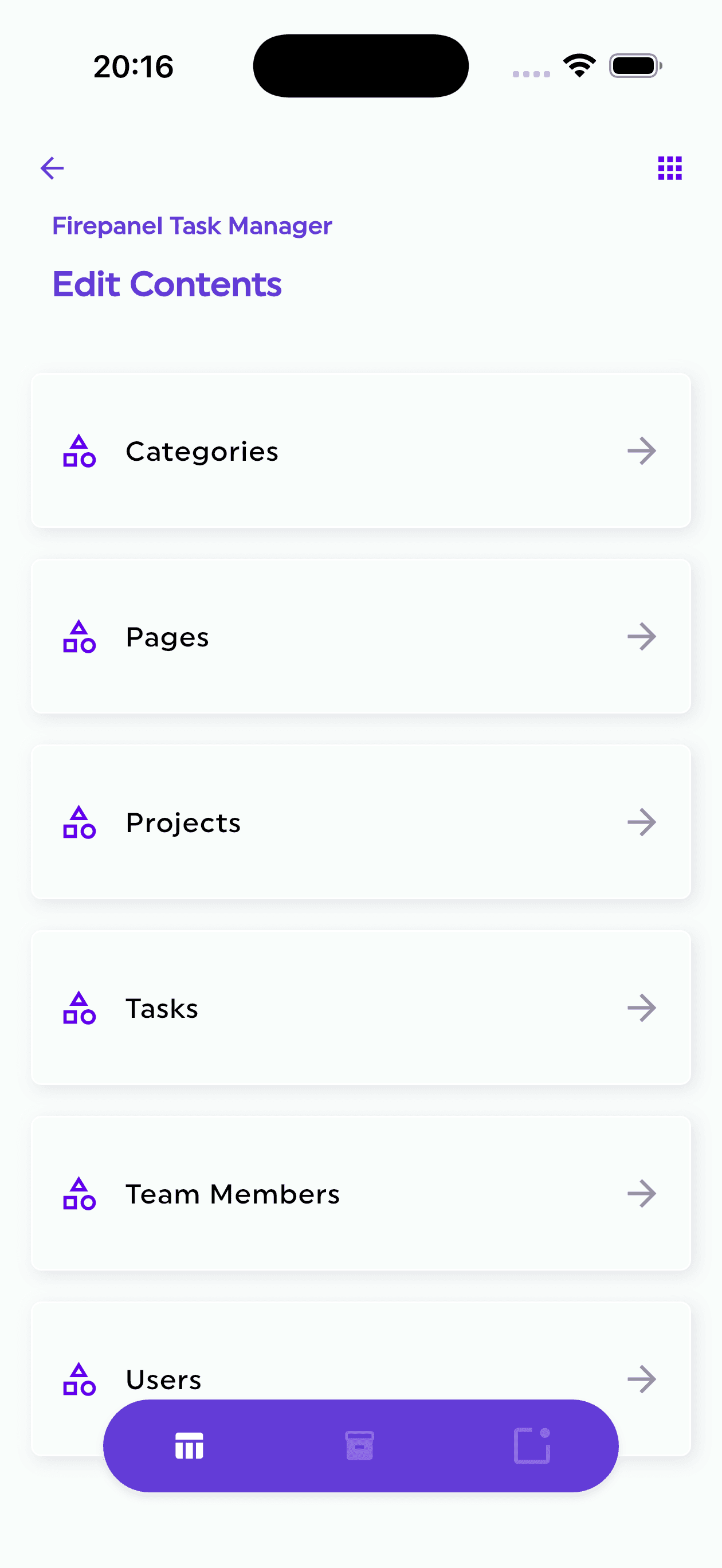
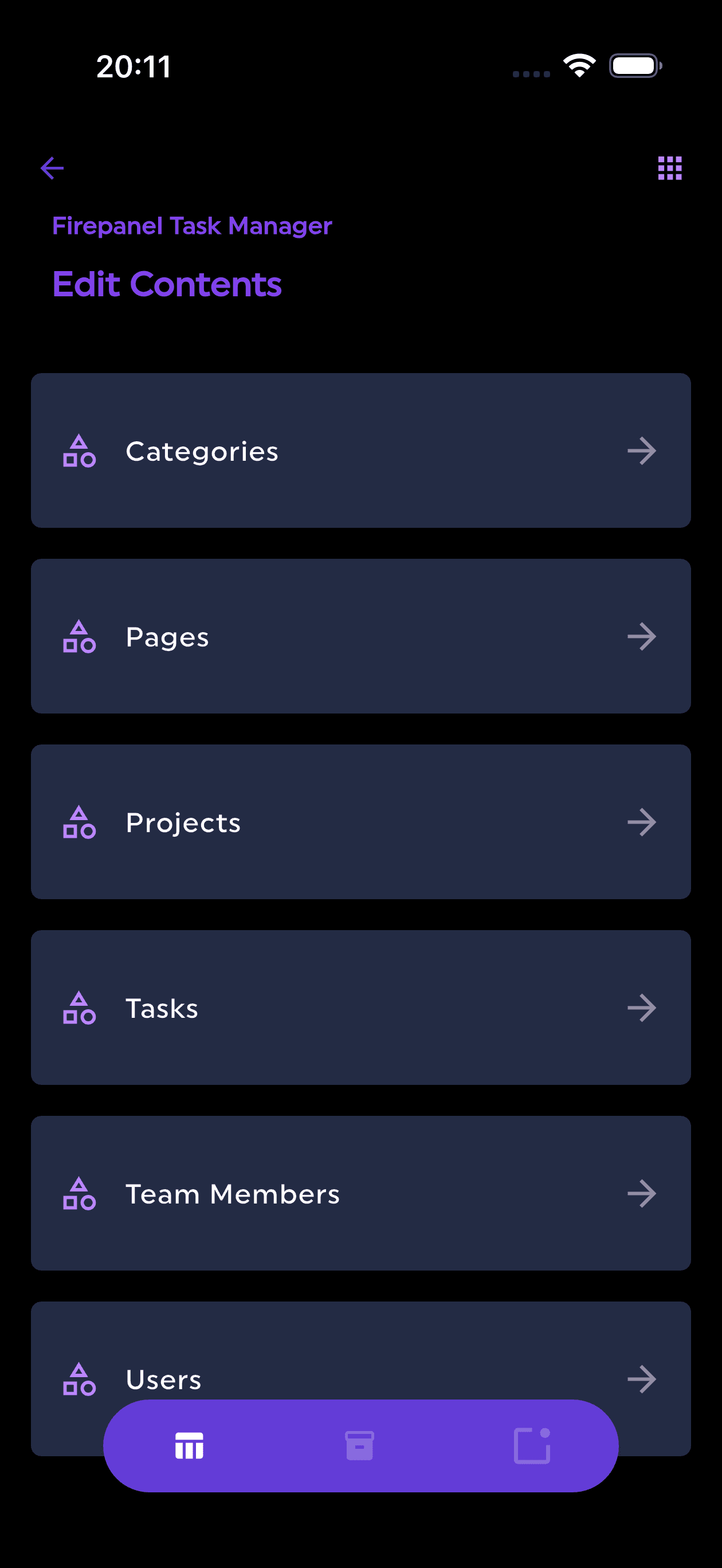
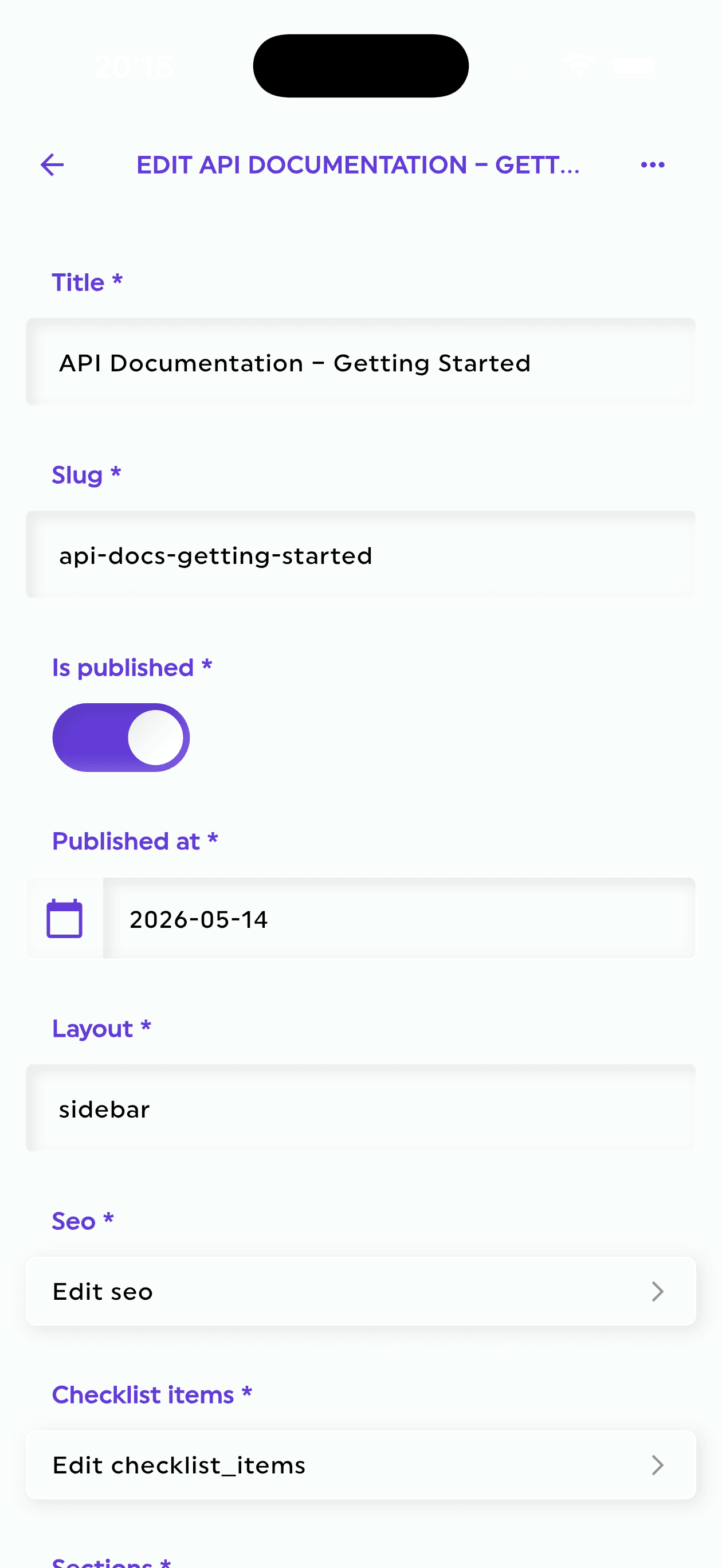
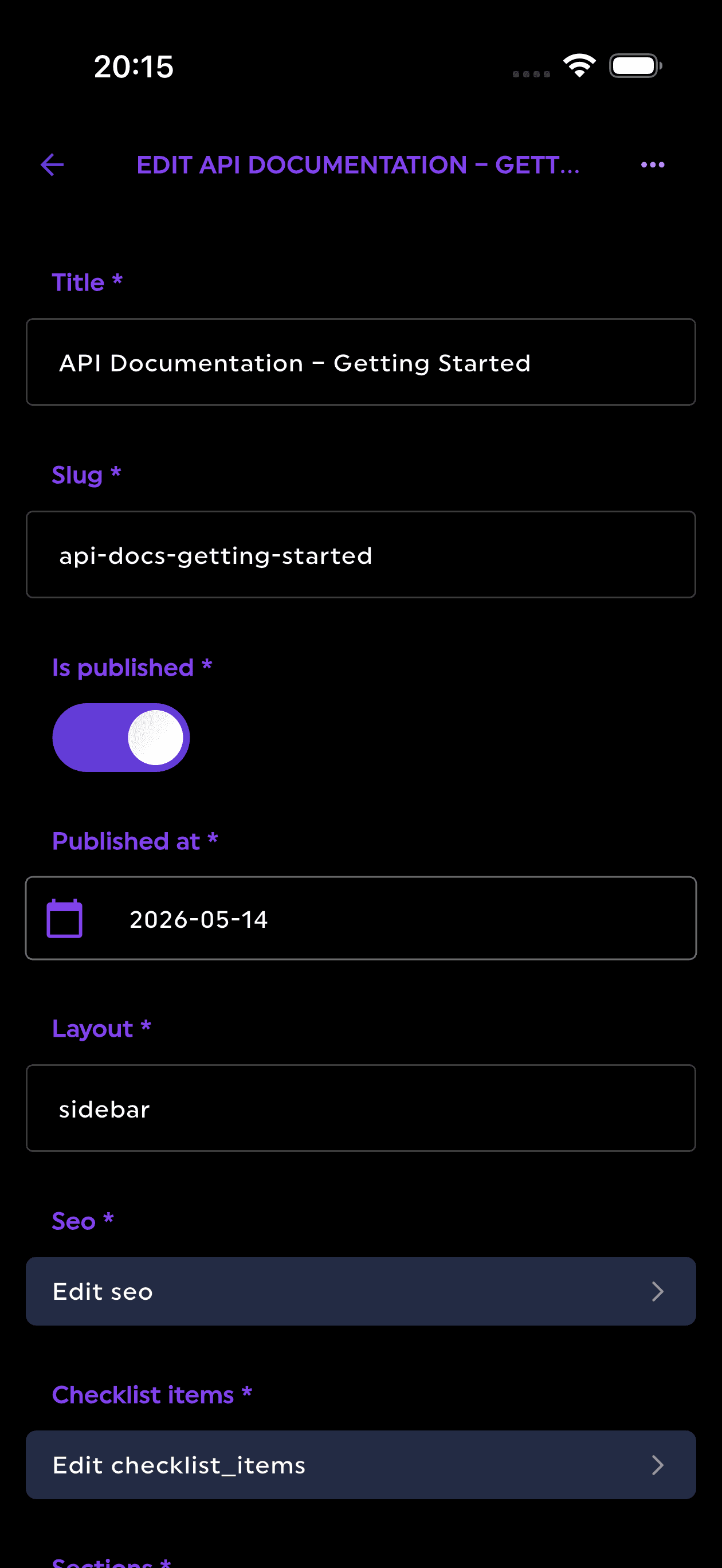
A project can be connected using Firebase credentials, after which Firepanel reads the existing database and can generate content types from the collections already present. Instead of rebuilding the same model inside a second system, the admin interface adapts to the Firestore structure.
Firepanel is particularly strong for:
- Mobile apps using Firebase Authentication, Firestore, Storage and Cloud Messaging
- Game studios managing players, inventory, rewards, events and live operations
- Web applications that already use Firestore as the source of truth
- Agencies delivering Firebase projects to clients
- Teams that need to invite editors without exposing Firebase Console
- Developers who need a Firebase GUI or backoffice without building one
Setup and ease of use
Firepanel is designed to produce a usable interface in minutes rather than becoming a development project of its own.
You can:
- Connect an existing Firebase project
- Select the Firestore database and Storage bucket
- Generate content types from existing collections or define them manually
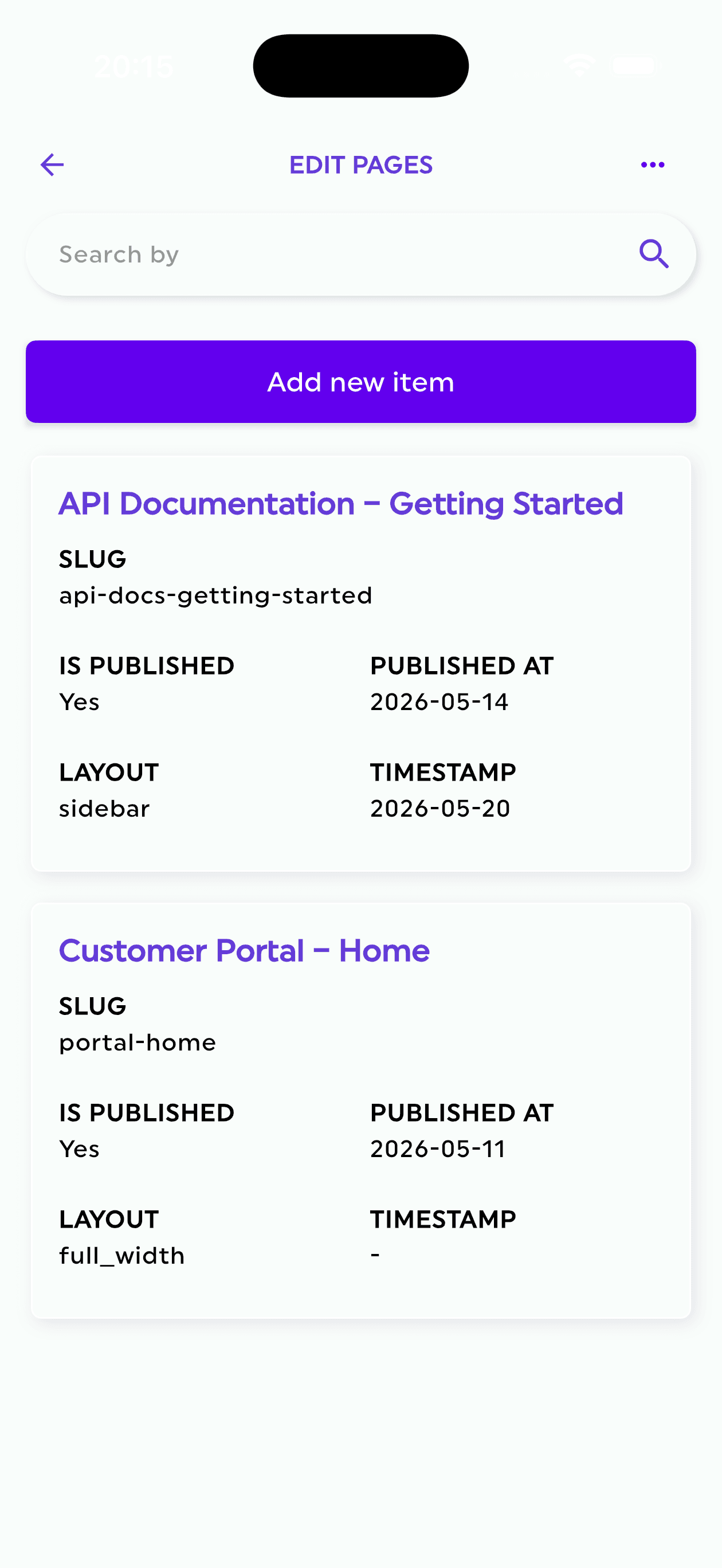
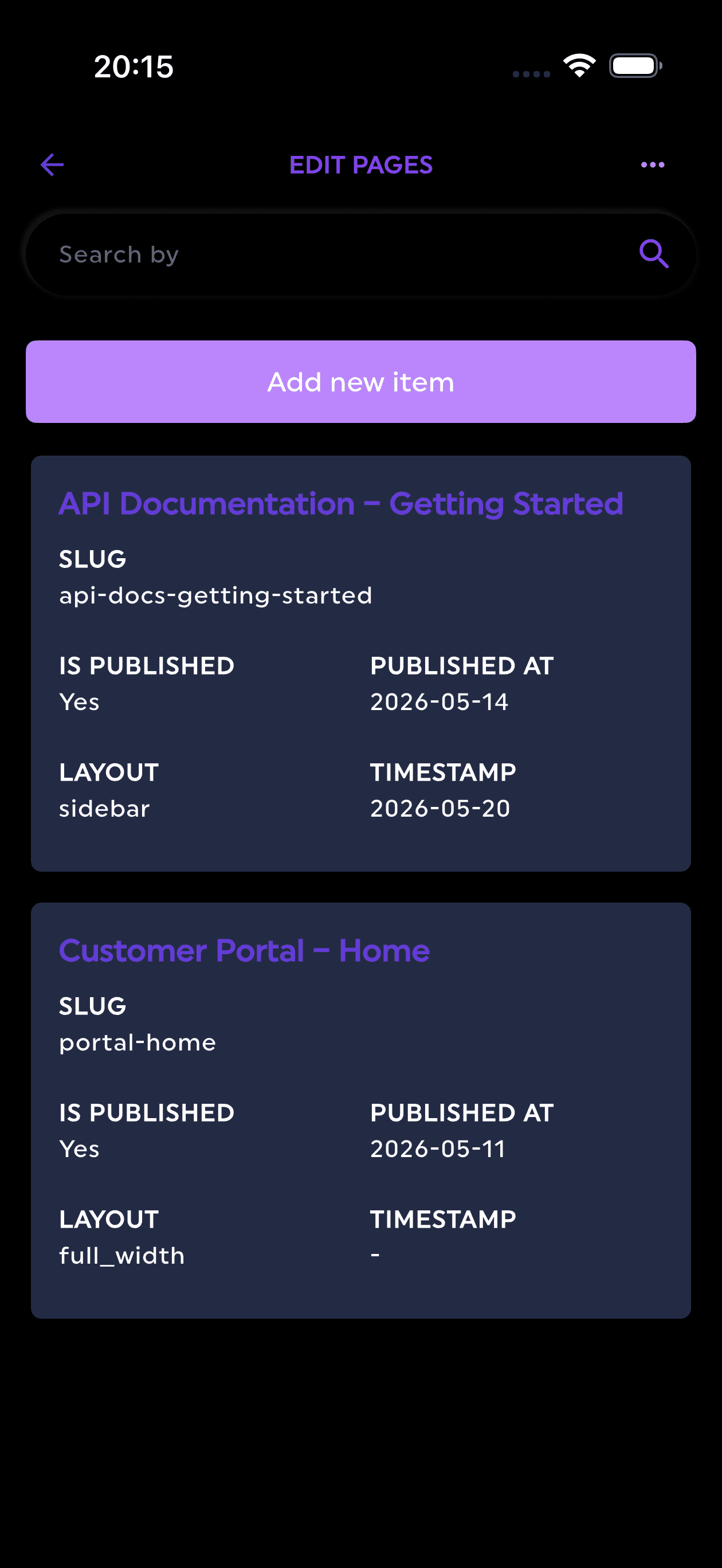
- Configure fields, validation, nested components and list views
- Invite editors or operational users
That workflow is important for existing products. The cost of adopting a CMS is not only the subscription. It is also the migration, schema duplication, API integration, deployment, permissions and maintenance work required before the first editor can use it.
Product scope
Firepanel combines several tools that Firebase teams often end up building or buying separately:
- Structured content types mapped to Firestore collections
- More than 20 field types with validation
- Reusable and nestable components
- Firestore collection and document management
- Storage browsing, upload, file movement and metadata management
- Push notification creation and scheduling
- Expo and OneSignal support
- User access and standard roles
- Full-text search
- Custom actions connected to Firebase workflows
- Backups for Firepanel configuration
- Mobile applications for content management
- Developer utilities such as type-safe model generation and JSON inspection
Firestore Enterprise support
In 2026, Firepanel also supports Firestore Enterprise edition and detects the edition used by a project.
This includes support for Firestore databases using MongoDB compatibility mode and access to native search capabilities when available. That matters because Firestore Enterprise significantly expands Firestore beyond the query model many developers associate with the original product.
For teams that adopt Enterprise edition, the CMS or admin tool must understand the database mode rather than assuming every Firestore project behaves identically.
AI features
Firepanel now uses Vertex AI in the customer’s own Google Cloud project for two practical tasks:
- AI content-type generation: describe a collection, subcollection or reusable component in natural language and generate the proposed structure.
- AI sample-data generation: populate a collection with realistic documents for prototypes, demos, QA and development.
This is more useful than a generic text-completion field because it accelerates the structural work at the beginning of a project.
A developer can describe a product catalog, onboarding flow, game item system or events collection and start from a structured proposal instead of an empty schema. The same model can then create coherent sample data in bulk.
Cost
Firepanel has a free Developer plan. At the time of writing, paid plans start at €9.99 per month, with an Agency plan at €19.99 per month, this is per project pricing, you can have multiple editors on the paid plans without additional costs.
The pricing model is attractive for freelancers, agencies and small product teams because it is project-oriented rather than charging every content editor as a full builder seat.
Where Firepanel is not the best fit
Firepanel is intentionally specialized.
It is not the ideal choice when:
- Your organization does not use Firebase or Firestore
- You need one internal app combining many unrelated enterprise systems
- You need large-scale localization, campaign orchestration and editorial governance across hundreds of sites
- You want to self-host and rewrite the entire interface as a custom React framework
For its target architecture, however, the specialization is an advantage rather than a limitation.
FireCMS: the closest Firebase-native competitor
FireCMS is the most direct alternative to Firepanel in this comparison.
It describes itself as an open-source Firebase GUI, admin panel and Firestore CMS. It offers three main paths:
- A free, MIT-licensed Community framework for self-hosting
- A managed Cloud product
- A paid PRO license for advanced self-hosted deployments
Where FireCMS is strong
FireCMS is attractive to developers who want:
- A React-based Firebase CMS framework
- Self-hosting and code-level customization
- Custom fields, views, authentication and themes
- A managed cloud option when self-hosting is unnecessary
- Spreadsheet-style editing and data import/export
- A mature Firebase-focused product
The Community edition is especially compelling when the team is comfortable owning deployment and customization.
Setup and maintenance
FireCMS Cloud reduces operational work and can be started quickly. The self-hosted editions offer more control but require a frontend project, deployment, upgrades and engineering ownership.
That makes FireCMS a good choice when the admin experience itself is part of what the development team wants to customize.
Firepanel takes a more productized approach: connect the Firebase project, generate or configure content types and use the managed interface. FireCMS can become more deeply customized, while Firepanel attempts to remove more implementation work.
AI and search
FireCMS Cloud includes AI content generation and DataTalk-style natural-language querying. Its feature comparison also lists local text search and developer-managed or managed full-text integrations depending on the edition.
Firepanel’s distinction is that AI can generate the content type itself and then bulk-generate documents through Vertex AI configured in the customer’s Google Cloud project. Firepanel also exposes edition-aware support for Firestore Enterprise and its native search capabilities.
Cost
In July 2026, FireCMS listed:
- Community: free and self-hosted
- Cloud Plus: €9.99 per user per month after a one-month trial
- PRO self-hosted: €149.99 per project per month
- Enterprise: custom pricing
For one user, Cloud Plus is competitively priced. As the editor count grows, the per-user model can become more expensive than a project-based plan.
Best fit
Choose FireCMS when deep React customization or self-hosting is a primary requirement.
Choose Firepanel when you want the fastest managed route to a polished Firebase CMS, especially when automatic modeling, mobile content management, messaging, Firestore Enterprise support and Firebase-specific workflows are important.
Rowy: best for spreadsheet-style Firestore operations and low-code backend work
Rowy presents Firestore through an Airtable-like interface and extends it with low-code backend capabilities.
It is not only a CMS. It can also help developers create Cloud Functions, derivatives, action fields, webhooks and backend workflows inside the Google Cloud ecosystem.
Where Rowy is strong
Rowy is a strong option for:
- Developers who think naturally in spreadsheet-style data grids
- Teams that need to edit large sets of Firestore documents inline
- Low-code Cloud Function development
- Operational workflows that combine data editing with backend automation
- Teams that prefer an open-source option
Its free tier is generous, and data remains inside the customer’s Firebase or Google Cloud project.
Editor experience
Rowy’s table-first interface is powerful for structured, repetitive data. It works particularly well for collections that resemble operational records, inventory, leads, jobs, logs or catalog rows.
For rich content modeling, nested editorial components or a branded client-facing CMS experience, a schema-driven product may feel more natural.
Cost
Rowy lists a free Base tier and a Pro tier at $12 per seat per month, with custom Business pricing. Google Cloud costs for Firestore, Cloud Functions and Cloud Run remain separate.
Best fit
Choose Rowy when the spreadsheet metaphor and low-code backend functions are central to the workflow.
Choose Firepanel when you want a more conventional content-management and Firebase backoffice experience with content types, nested components, Storage, messaging, mobile apps and edition-aware Firestore support.
Retool: best for custom internal applications across many systems
Retool belongs in a different category.
It is a platform for building internal applications, workflows, agents and operational dashboards. Firestore can be connected as a resource, but Retool does not automatically become a complete Firebase CMS.
You decide what to build:
- A user-support dashboard
- An order-management application
- A moderation queue
- A finance workflow
- A database editor
- A customer portal
Then you assemble tables, forms, queries, permissions and actions.
Where Retool is strong
Retool is the strongest option in this list when:
- The workflow spans Firestore, PostgreSQL, REST APIs, Stripe and other systems
- The interface must be highly customized
- The organization has several internal applications
- Governance, environments and enterprise permissions are important
- The team is prepared to build and maintain the tool
Its AI-native builder can accelerate app creation, but the result remains a custom internal application that your team owns.
Setup and practical cost
Connecting a data source can be quick. Producing a safe, polished and complete backoffice still requires design and implementation work.
For every collection or workflow, someone must define:
- Queries
- Tables
- Forms
- Validation
- Search behavior
- Loading and error states
- Permissions
- Actions
- Navigation
Retool pricing also distinguishes between builders, internal users and external users.
On the EU pricing page checked for this article, annual Team pricing started at €9 per builder per month and €5 per internal user per month. Business pricing was substantially higher, with more advanced permissions and governance.
This can be cost-effective for a small internal team, but the total grows with the number and type of users.
Best fit
Choose Retool when you need a bespoke internal application across many systems.
Choose Firepanel when the requirement is specifically to obtain a Firebase admin panel, Firebase GUI or Firestore CMS without constructing every screen manually.
Strapi: best for teams wanting an open-source general-purpose headless CMS
Strapi is a popular open-source headless CMS built with JavaScript and TypeScript.
It provides content modeling, REST and GraphQL APIs, media management, roles, plugins, webhooks and a broad ecosystem. It can be self-hosted or deployed through Strapi Cloud.
Where Strapi is strong
Strapi is a good fit when:
- You want the CMS to own the content database
- You prefer an open-source Node.js ecosystem
- You want REST and GraphQL APIs generated from content types
- Your team can operate infrastructure or pay for managed hosting
- Plugins and backend customization are important
The architectural difference for Firebase teams
If the application already stores operational content in Firestore, adding Strapi usually means introducing a second content backend.
You may need to:
- Move the content into Strapi’s database
- Change the application to consume Strapi APIs
- Build synchronization between Strapi and Firestore
- Maintain duplicated models and permissions
- Decide which platform is the source of truth
That may be correct for a content-heavy architecture, but it is not equivalent to placing a visual admin interface over existing Firestore collections.
Setup and cost
Strapi Community can be self-hosted for free, excluding infrastructure and maintenance.
Strapi Cloud hosting listed the following monthly prices in July 2026:
- Starter: $35 per project
- Pro: $90 per project
- Business: $450 per project
Usage limits, extra environments, bandwidth and enterprise capabilities can increase the total.
Best fit
Choose Strapi when you want a standalone, open-source headless CMS and are willing to own or fund its backend.
Choose Firepanel when Firebase is already the backend and avoiding migration or synchronization is a priority.
Contentful: best for structured enterprise content operations
Contentful is a mature SaaS content platform designed for structured, reusable and omnichannel content.
It is strongest in organizations where content operations involve several teams, locales, websites, applications and governance requirements.
Where Contentful is strong
Contentful is well suited to:
- Enterprise marketing and digital experience teams
- Multi-market and localized content
- Structured content reused across many channels
- Editorial workflows, scheduled publishing and governance
- Organizations that want a fully managed content platform
Setup and architecture
Contentful is not a visual interface for your existing Firestore collections. It becomes an independent source of content, delivered through its own APIs and CDN.
That is useful when editorial content should be separated from operational application data. It is less practical when the objective is simply to let a team safely edit the Firestore documents the application already reads.
Cost
Contentful offers a free plan, but its public Lite plan was listed at $300 per month in July 2026. Enterprise pricing is custom.
The platform can be economically justified for organizations that need its collaboration, localization and governance capabilities. For an indie developer, agency project or Firebase MVP, it is often considerably more platform than the problem requires.
Best fit
Choose Contentful for serious multi-team content operations and enterprise governance.
Choose Firepanel for a Firebase-native CMS or backoffice with a much lower setup and subscription threshold.
Sanity: best for developers who want a deeply customizable content platform
Sanity combines a managed real-time content backend with Sanity Studio, an open-source React-based editing environment.
Its content is stored in Content Lake and queried through APIs such as GROQ and GraphQL.
Where Sanity is strong
Sanity is a strong fit for:
- Developers who want schema-as-code
- Custom editing experiences built with React
- Real-time collaborative editing
- Live preview and visual editing
- Highly structured content reused across channels
- Teams that want a hosted content backend but a customizable Studio
Sanity’s 2026 product also includes Content Agent and other AI and automation capabilities.
Setup and engineering effort
Sanity can be started quickly using templates, but a tailored Studio is still a development project.
Developers define schemas, configure the editing environment, integrate previews and connect the application to Sanity’s APIs. This is a strength when the team wants control over the editorial system. It is overhead when the only requirement is to manage existing Firestore data.
Cost
Sanity’s public pricing in July 2026 included:
- Free: $0, with up to 20 seats and public datasets
- Growth: $15 per seat per month
- Enterprise: custom pricing
Usage limits and add-ons for larger document volumes, datasets and support can materially increase the cost.
Best fit
Choose Sanity when content is a first-class platform concern and your team wants to build a customized editorial application.
Choose Firepanel when the content already lives in Firebase and you want an operational CMS immediately rather than a new content backend and Studio project.
Comparing setup time
Setup time is frequently underestimated because vendors measure it differently.
Creating an account is not the same as delivering a usable CMS.
A realistic setup calculation should include:
- Connecting or provisioning the database
- Defining content models
- Importing or migrating data
- Building forms and list views
- Configuring search
- Setting permissions
- Deploying and maintaining the interface
- Training editors
- Integrating the frontend application
Fastest for an existing Firebase project
For an existing Firestore database, Firepanel has one of the shortest paths because it can inspect existing collections and generate content types. No frontend admin application needs to be built, and the client application can continue using Firebase SDKs.
FireCMS Cloud and Rowy also offer fast Firestore-native onboarding. FireCMS self-hosted, Retool and Sanity become progressively more implementation-heavy as customization increases.
Strapi, Contentful and Sanity may still be easy to start, but adopting them for existing Firestore content introduces an architectural decision: migrate, duplicate or synchronize the content.
Comparing editor experience
The best editor experience depends on what is being edited.
For structured app data
Firepanel, FireCMS and Rowy are strong because they work directly with database-shaped content.
Firepanel emphasizes content types, nested components, validation and a polished form-based experience. Rowy emphasizes grid editing. FireCMS can provide both standard components and deep custom React fields.
For custom operational workflows
Retool is strongest because the interface can be designed around the exact process rather than the database structure.
The trade-off is that someone must build it.
For editorial and omnichannel content
Contentful and Sanity offer the deepest content operations capabilities. Strapi provides a strong open-source middle ground.
These platforms are more appropriate when publishing, localization, preview, campaign coordination and content reuse are central concerns.
Comparing AI features in 2026
AI is now present in almost every CMS category, but the implementation matters.
There are at least four different AI use cases:
- Generate or rewrite a field value
- Query content in natural language
- Generate a complete content model
- Generate realistic structured documents in bulk
FireCMS, Retool, Strapi, Contentful and Sanity all offer AI capabilities in different forms or plans.
Firepanel’s most relevant distinction for Firebase developers is structural generation:
- A prompt can generate a Firestore-linked content type
- The generated structure can include fields and reusable components
- AI can populate the collection with coherent sample documents
- Vertex AI runs in the customer’s Google Cloud project
This is particularly useful for prototypes, demos, QA environments, game content, catalogs and app onboarding flows.
The correct question is therefore not “does the CMS have AI?” It is “which part of my workflow does the AI actually remove?”
Comparing search
Search has historically been an awkward area for Firestore applications.
Many teams added Algolia, Elasticsearch, Typesense or a custom indexing function because classic Firestore queries were not designed for full-text search.
In 2026, Firestore Enterprise introduced native text-search capabilities through its advanced query engine. Firepanel can use native Firestore search on supported Enterprise databases, while also supporting external search approaches such as Algolia or Elasticsearch for other setups.
This can reduce infrastructure and synchronization work for teams that only need search inside their Firebase data and admin workflows.
General headless CMS products provide their own query and search capabilities, but those apply to content stored in their platform rather than arbitrary documents in an existing Firestore database.
Comparing the real cost
Subscription price is only one part of CMS cost.
The more useful equation is:
Total cost = subscription + infrastructure + setup + migration + customization + maintenance + editor time
A free, self-hosted CMS can be expensive if it requires several engineering days, continuous upgrades and operational ownership.
A $300 managed platform can be inexpensive if it replaces complex enterprise workflows and reduces campaign lead time.
A $10 managed Firebase CMS can be highly efficient when it removes the need to build and maintain an internal admin application.
Evaluate cost based on the workflow you are replacing, not only the plan card.
Recommendations by use case
Existing Firebase mobile or web application
Recommended: Firepanel
It provides the shortest route from raw Firestore data to a structured CMS and admin experience, while keeping Firebase as the source of truth.
Firebase project requiring self-hosting and React-level customization
Recommended: FireCMS Community or PRO
FireCMS offers a strong framework approach when the team wants to own the deployment and customize the interface deeply.
Spreadsheet-heavy Firestore operations and low-code backend logic
Recommended: Rowy
The table-first model and Cloud Function tooling fit operational and backend-building workflows.
Custom internal application spanning many databases and APIs
Recommended: Retool
The blank-canvas approach is justified when the process cannot be represented by a standard CMS.
Open-source standalone headless CMS
Recommended: Strapi
It provides a broad Node.js ecosystem and control over hosting and backend customization.
Enterprise omnichannel content operations
Recommended: Contentful
It is designed for organizations with governance, localization and multi-space requirements.
Highly customized structured content and real-time editorial collaboration
Recommended: Sanity
Its schema-as-code and React Studio model offer substantial flexibility.
Firebase agency, indie developer, game studio or SaaS team that wants to ship quickly
Recommended: Firepanel
The combination of automatic content modeling, Firestore-native operation, modern editing UI, Storage, notifications, AI generation, Firestore Enterprise support, developer tools and low entry pricing is difficult to match without combining several products.
Final verdict
There is no single best CMS in 2026 because “CMS” now describes several different architectural products.
The best selection process is:
- Decide where the source of truth should live
- Identify whether you need content management or a custom internal application
- Calculate implementation and maintenance, not only subscription cost
- Evaluate the editing experience for the people who will use it daily
- Check whether AI, search and automation remove real work or simply add marketing labels
For organizations building a new enterprise content architecture, Contentful, Sanity and Strapi all deserve serious consideration.
For complex internal systems spanning many data sources, Retool remains a powerful choice.
For developers who want to self-host and customize a Firebase CMS framework, FireCMS and Rowy offer capable approaches.
For a Firebase project that needs a beautiful, full-featured admin panel in minutes — without migrating data, creating a second backend or assembling every screen manually — Firepanel is one of the most practical choices available in 2026.
It can function as a Firebase CMS, Firebase admin panel, Firebase GUI, Firestore CMS or Firebase backoffice, depending on the workflow your product needs.
And because it now supports Firestore Enterprise, MongoDB compatibility mode, native full-text search, AI-generated content types and bulk sample-data generation, it is no longer only a nicer way to edit Firestore documents. It is becoming a complete operational layer for Firebase applications.
Try Firepanel
Connect an existing Firebase project, generate content types from your Firestore collections and start managing content without building a custom backoffice.
Start with the free Firepanel plan