New: Firepanel Build, the AI app builder

Build Firebase apps with AI. Run them from one panel.

Describe an app and Firepanel builds it on your Firebase project. Your team manages it from the same panel.

Content Types

Works with every framework & stack

Firebase
Next.js
React
Flutter
Vue
Angular
Expo
Nuxt
Svelte

Describe an app. Get it live on Firebase.

  1. 01

    Describe it

    Tell the agent what to build: a website on Next.js or a mobile app on Expo. It works in a live workspace and shows the preview as it goes.

  2. 02

    Watch it take shape

    The preview reloads on every change. Adjust the design, set environment variables, or open the code and the terminal when you want to.

  3. 03

    Wired to your Firebase

    The agent designs content types in Firepanel, seeds sample data, sets Firestore and Storage access rules, and can switch on Authentication.

  4. 04

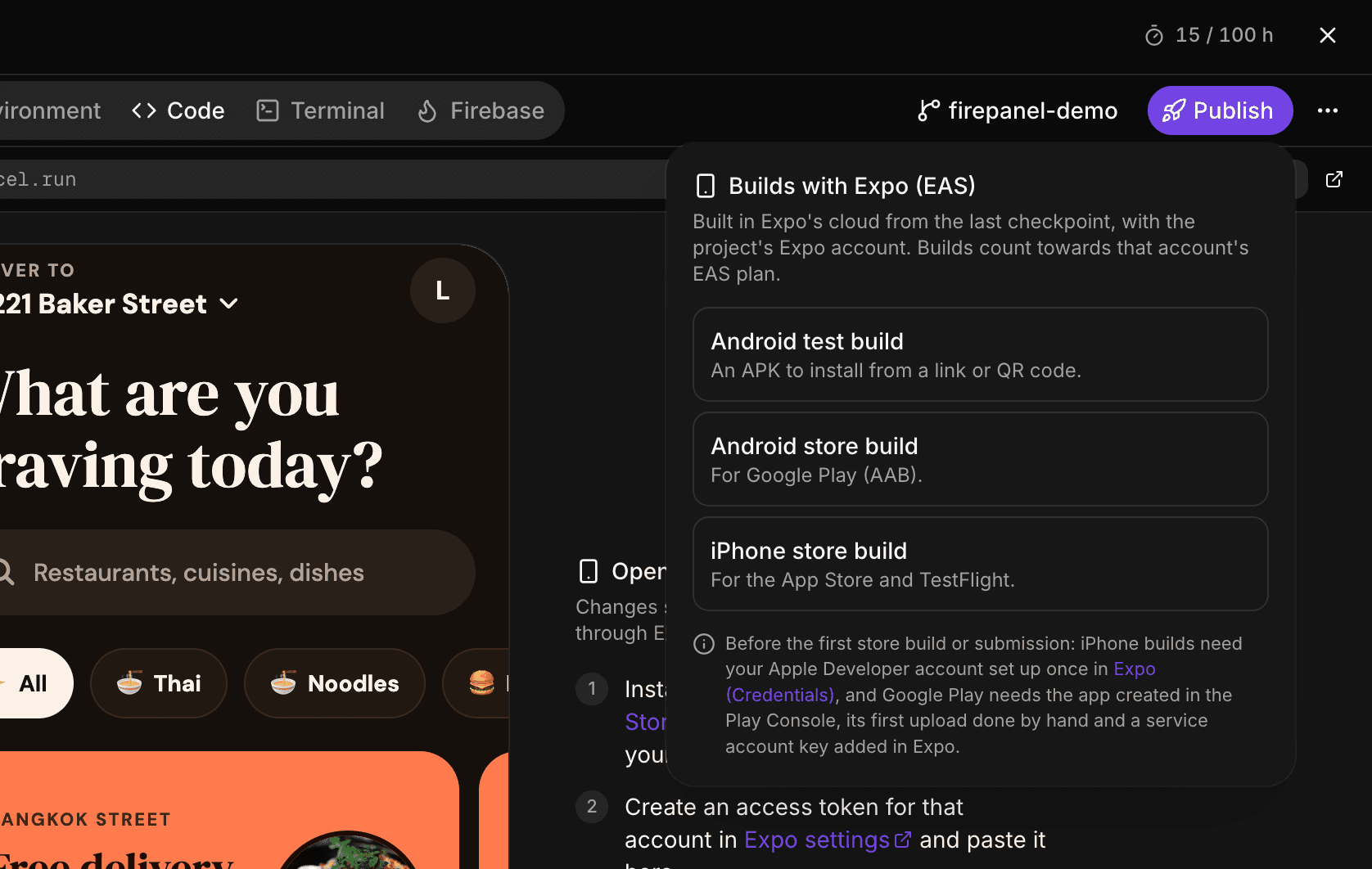
    Publish it

    Websites go live on Firebase App Hosting in your own project. Mobile apps build with Expo for Google Play and the App Store. Every checkpoint can sync to GitHub.
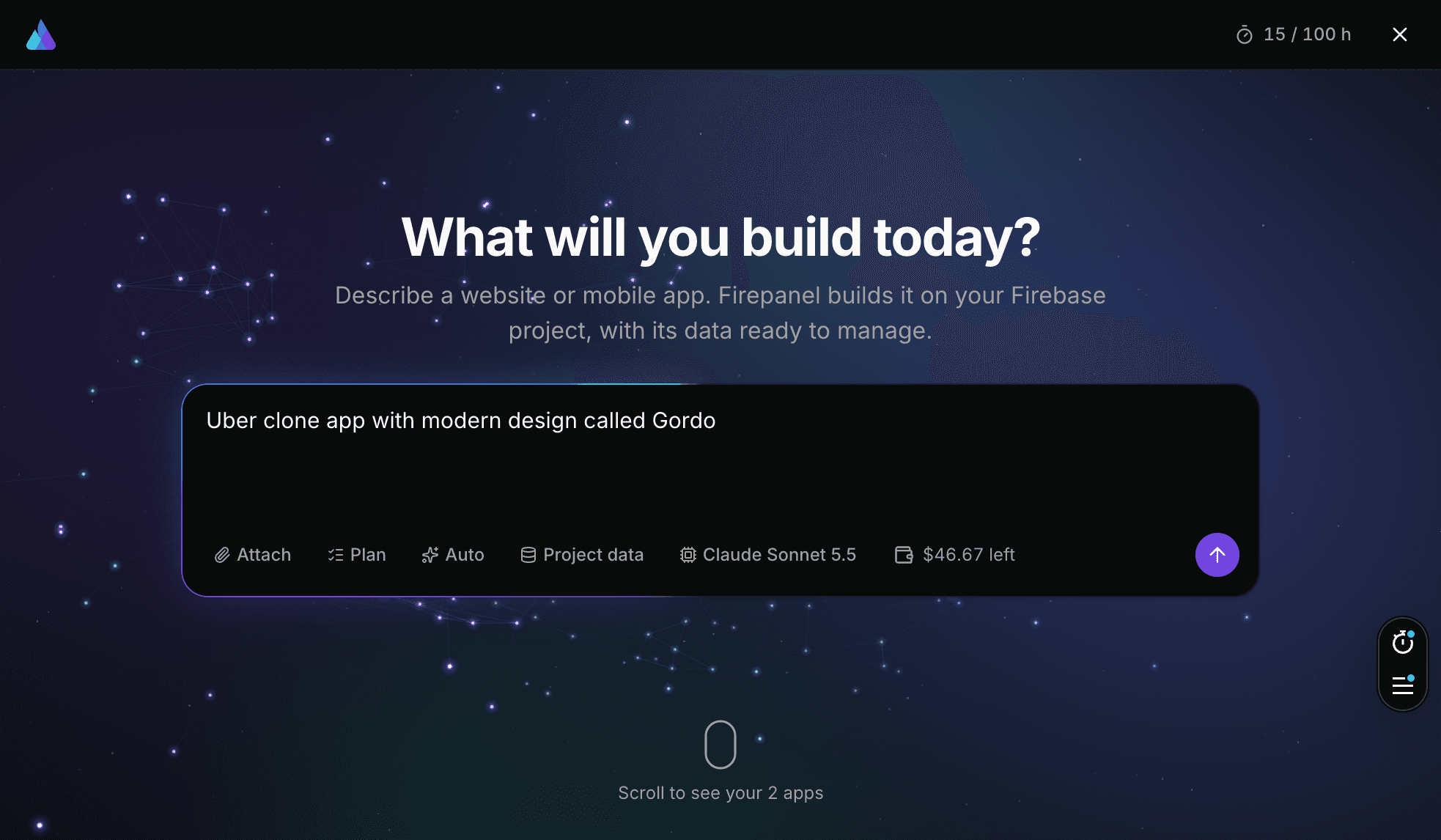
Describe it: Firepanel Build
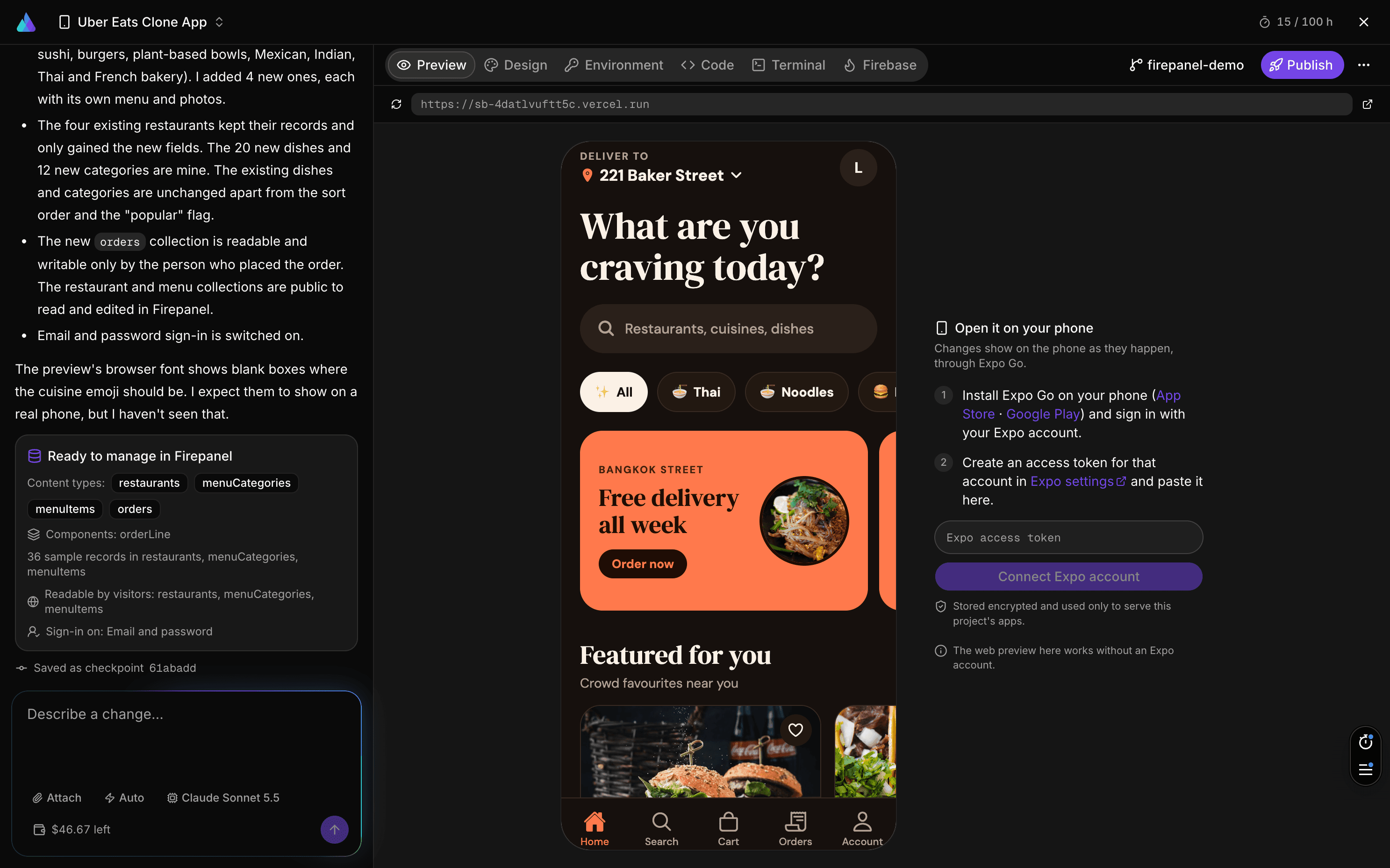
Watch it take shape: Firepanel Build
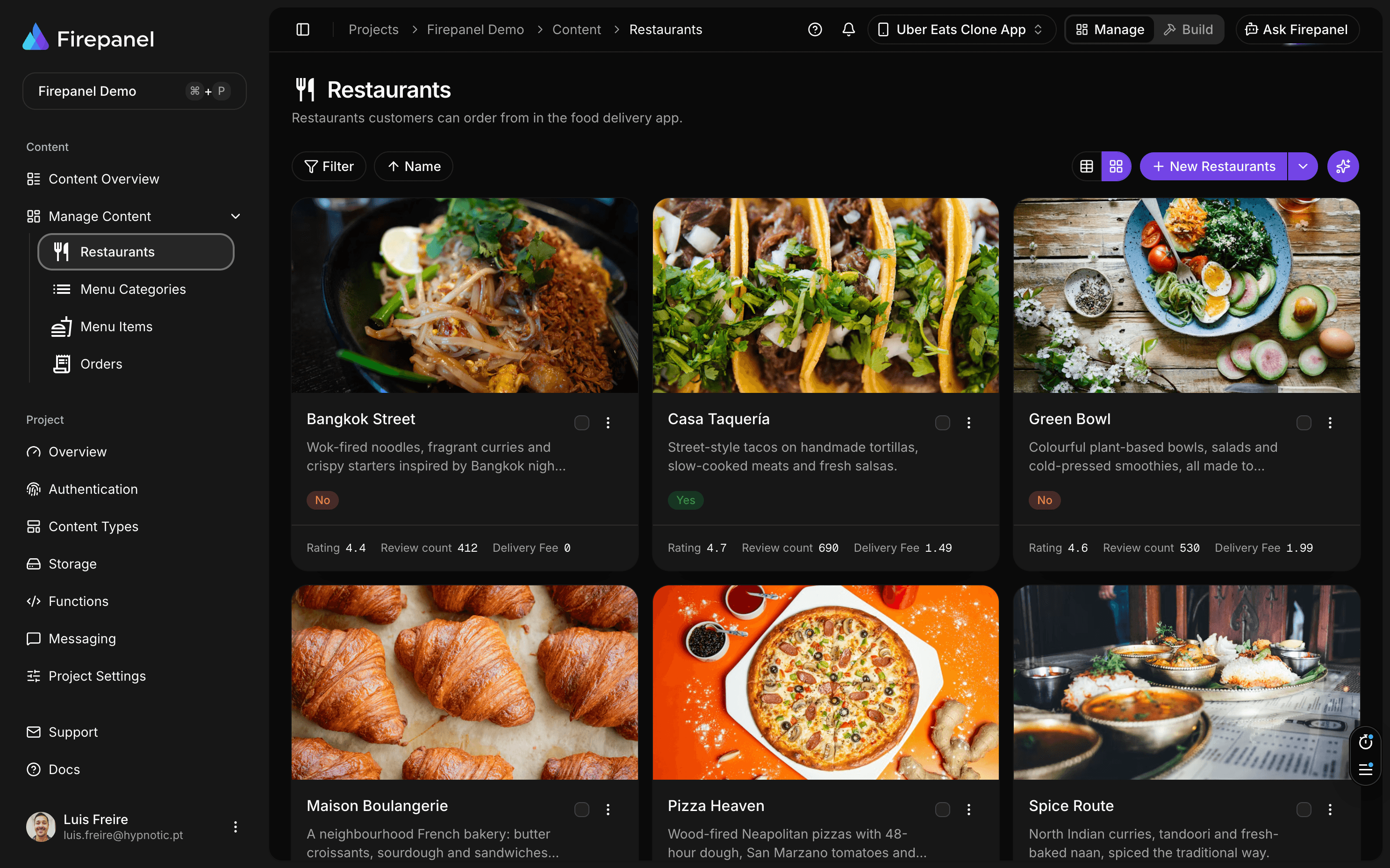
Wired to your Firebase: Firepanel Build
Publish it: Firepanel Build

Describe an app. Get it live on Firebase.

Firepanel Build is an AI app builder that works on your own Firebase project, so what it builds is already connected to your data.

  1. 01

    Describe it

    Tell the agent what to build: a website on Next.js or a mobile app on Expo. It works in a live workspace and shows the preview as it goes.

    Describe it: Firepanel Build
  2. 02

    Watch it take shape

    The preview reloads on every change. Adjust the design, set environment variables, or open the code and the terminal when you want to.

    Watch it take shape: Firepanel Build
  3. 03

    Wired to your Firebase

    The agent designs content types in Firepanel, seeds sample data, sets Firestore and Storage access rules, and can switch on Authentication.

    Wired to your Firebase: Firepanel Build
  4. 04

    Publish it

    Websites go live on Firebase App Hosting in your own project. Mobile apps build with Expo for Google Play and the App Store. Every checkpoint can sync to GitHub.
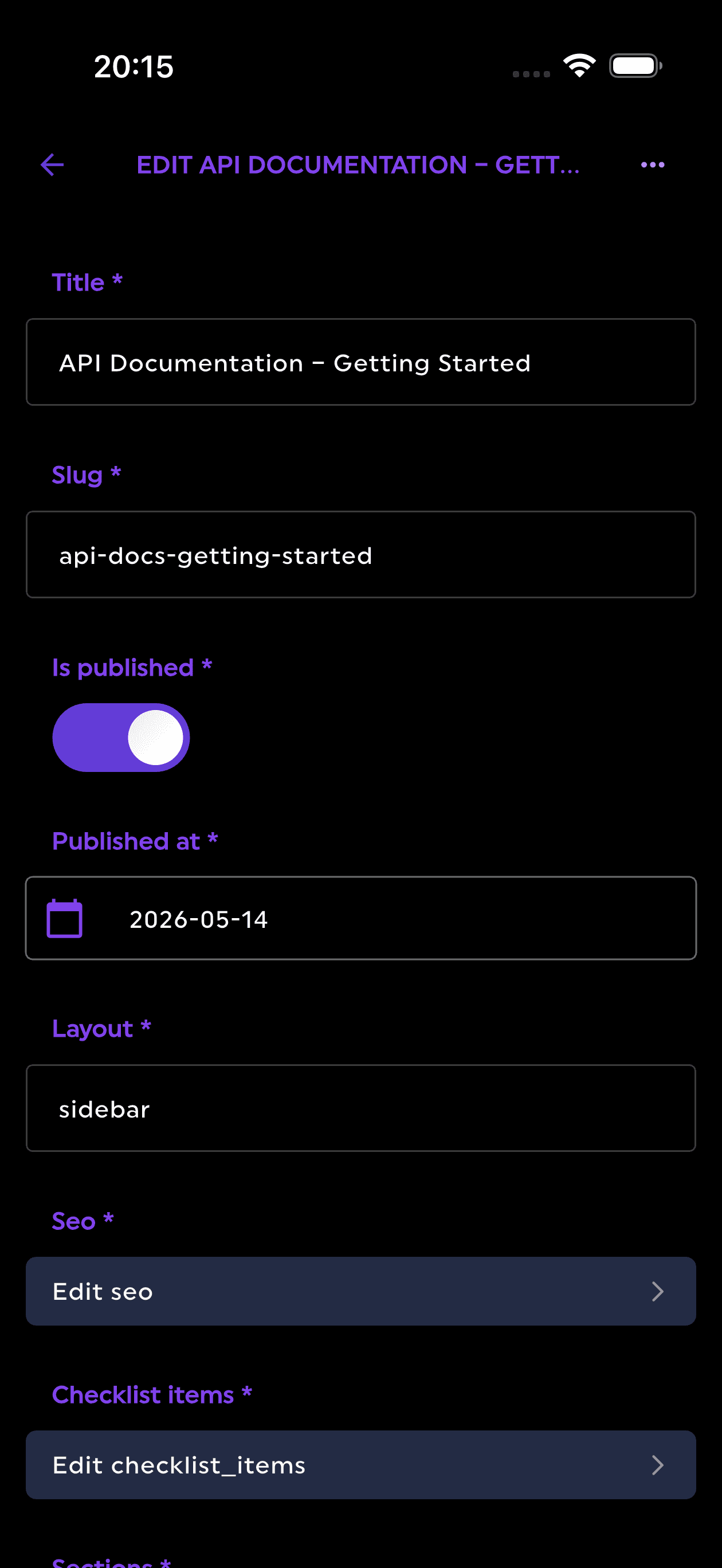
    Publish it: Firepanel Build

AI that works on your own project

It runs on your Firebase and Vertex AI project, with the same roles and limits your team already has.

Ask Firepanel

Ask about your data in plain words. Answers come with tables and links, respect your role, and any change it proposes waits for your approval.

Image generation

Generate images into your Storage bucket from a prompt or reference images, with Gemini image models.

Content generation

Create content types and realistic sample documents from a short description.

Cloud Functions

Describe a function. Firepanel writes it, deploys it to your project and fixes build errors.

Rules your editors cannot skip

Show, require or lock a field depending on other fields or on who is editing. No code, and no logic copied into every app.

For your database, pick who can read and write each collection, simulate requests with Google's own evaluator, then release.

WhenCustomer typeisBusinessthenshow and requireVAT number

The same rule runs in the console and in the API, so a hidden field is never the only protection.

And everything around your data

The admin panel your editors use, and the tools your developers expect.

Content

  • Content types and nested components
  • Import from your existing Firestore data
  • Subcollections and references
  • Full-text search
  • A browser for your Storage files

Firebase services

  • Authentication users, joined to their data
  • Push notifications and campaigns
  • Backups, restore and migration
  • Actions that call your Cloud Functions

Team and security

  • Built-in roles
  • Field access by role
  • Firestore and Storage rules
  • Every change checked by the API, not just the screen

Developers

  • MCP server for Claude, ChatGPT and other AI tools
  • Insights on usage and AI spend
  • AI-built Cloud Functions
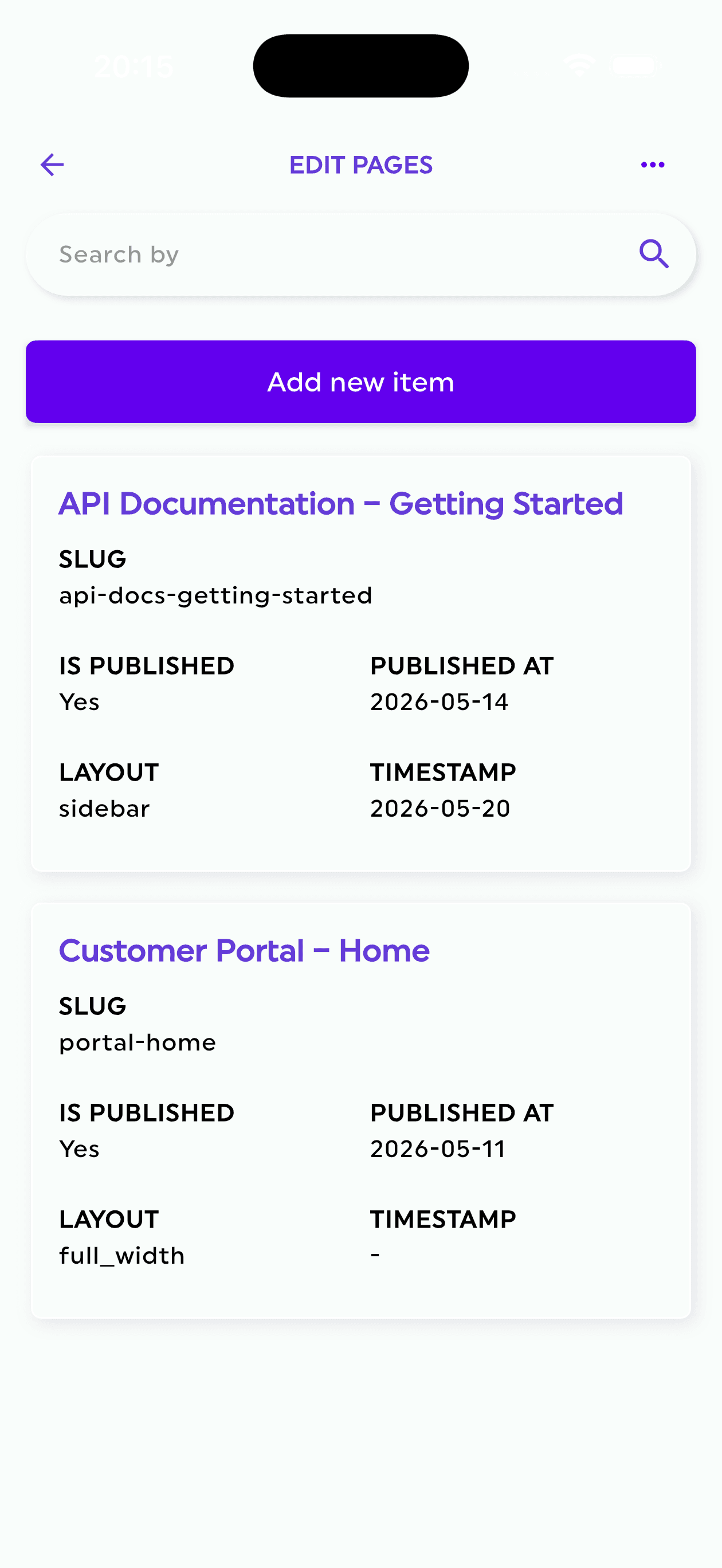
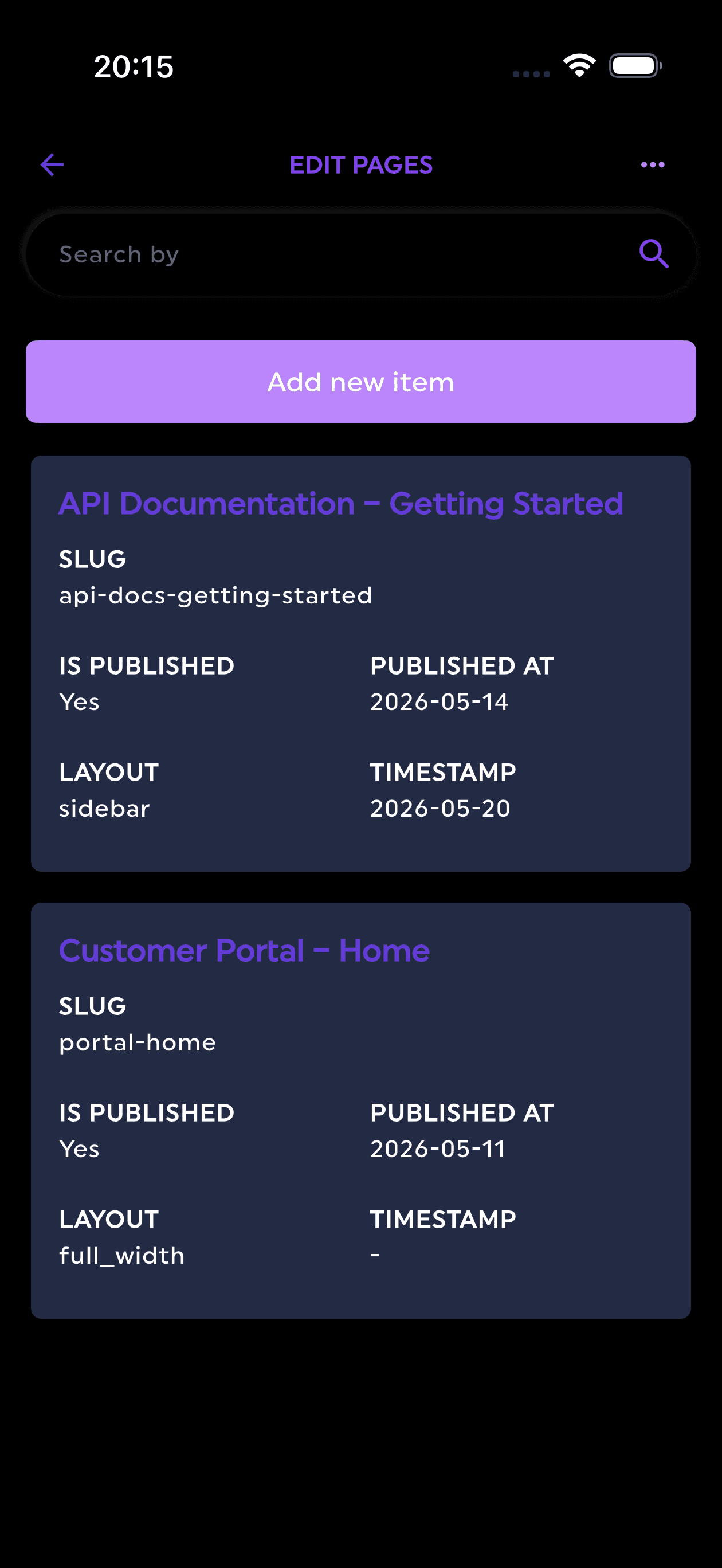
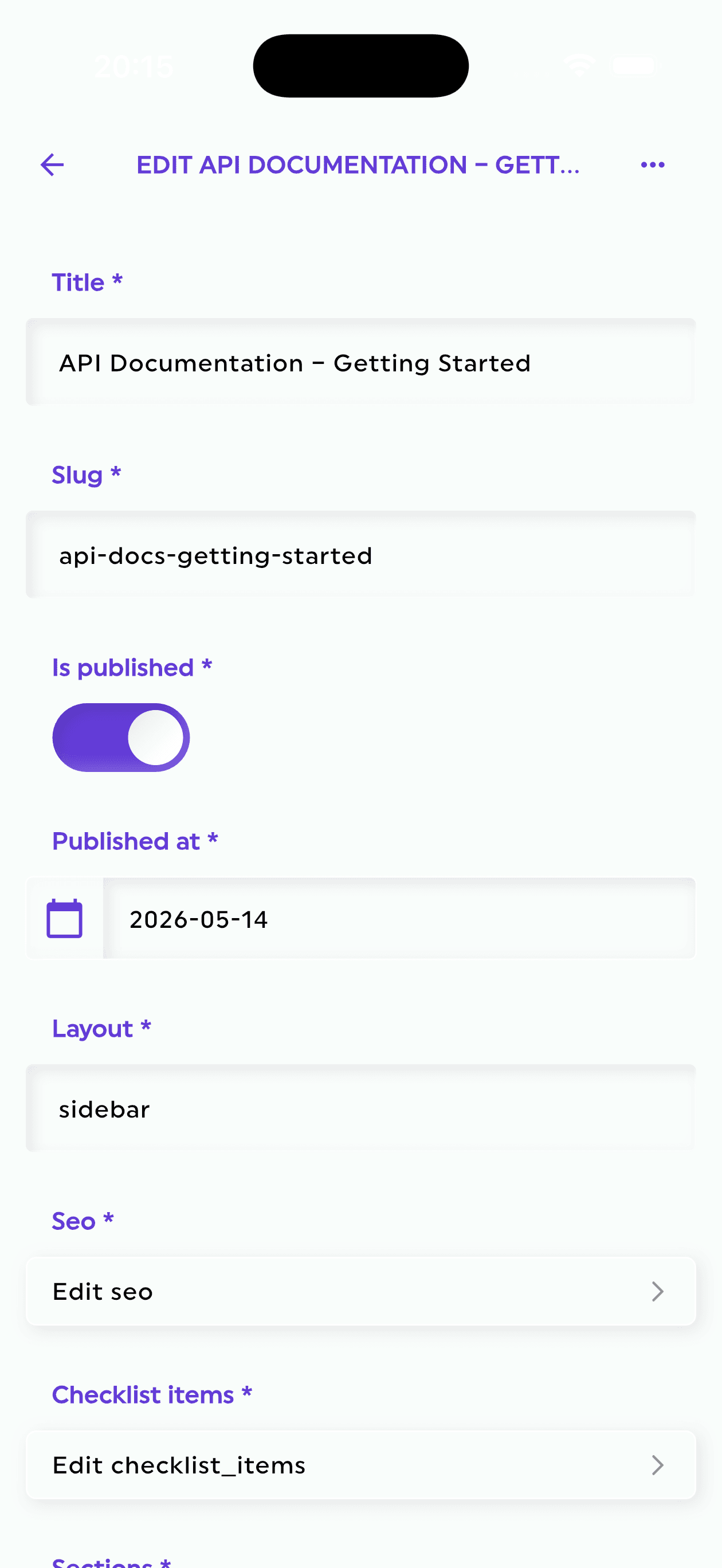
  • A mobile app for your content (coming soon)

How it works

From zero to shipped - in minutes

Get started free
01
Step 01
Create Your Project
Add your project to Firebase, get a service account, and connect it to Firepanel. That's all it takes to get started!
02
Step 02
Add Content Types
Create custom content types or automatically generate them from existing Firebase data. Firepanel does the heavy lifting.
03
Step 03
Add Fields
Model your content with 20+ field types and custom components, giving you full control over your data structure.
04
Step 04
Add Data
Fill your content types with data using Firepanel's sleek, user-friendly forms-making the process fast and visually appealing.
05
Step 05
Start Coding
Jump into development in minutes, not hours! Use the Firebase SDK to access your content and focus on building your app.
06
Step 06
Invite People
Your app is ready, but clients need to manage content. Invite them to Firepanel and watch them love how easy it is.
07
Step 07
Enjoy
You've delivered a project from start to finish in record time! Firepanel just saved you valuable hours. Kick back and enjoy.

Use cases

Built for the way you ship

From mobile apps to client projects, teams reach for Firepanel whenever Firebase needs a content layer humans can manage.

Mobile Apps

Power Expo and React Native apps with a Firestore-backed content layer. Manage screens, feeds, and config, then build audience-targeted, localized push campaigns through Expo or OneSignal - no new build required.

Agency Client Handoffs

Deliver projects your clients can actually run. Invite them with Admin, Editor, or Viewer roles, hand over Firebase Auth user management alongside their content, and give them a polished admin panel instead of the raw Firebase console.

Content-Driven Websites

Run blogs, landing pages, and marketing sites on Firestore. Model content with 20+ field types and nestable components, then add instant full-text search with your own Algolia account.

SaaS & Internal Tools

Give your team a real backoffice for Firestore and Firebase Storage - a proper admin dashboard to browse and edit records, run custom actions, and back up your setup, without building an internal backoffice or CRUD by hand.

Pricing

Start free, scale when you're ready

A free plan to explore and build. Upgrade when your project grows. Every paid plan includes a 7-day free trial.

MonthlyYearlySave 2 months

Developer

For individuals getting started.
Free forever.

Freeforever

No credit card required

Get started free

Key features

  • Projects1
  • Team members1
  • Content types10
  • Build30 min / mo
  • Ask Firepanel

Startup

For small teams looking to power up.

€15.00/month

7-day free trial

Start free trial

Key features

  • Projects5
  • Team members3
  • Content types20
  • Build20 h / mo
  • Ask FirepanelIncluded
Best deal

Agency

For organizations with growing teams and needs.

€35.00/month

7-day free trial

Start free trial

Key features

  • ProjectsUnlimited
  • Team membersUnlimited
  • Content typesUnlimited
  • Build100 h / mo
  • Ask FirepanelIncluded
Need a custom plan? Contact us and we'll figure it out.

FAQ

Still have questions?

Need more help?

Can't find what you're looking for? Our team is here to help. We'd love to hear from you.

Contact us

Read the docs

Full technical documentation, guides, and API references for developers.

Open docs

Firepanel is a headless Firebase CMS and admin panel that lets developers and content teams manage Firestore data, Firebase Storage, push notifications, users, and more - all from a clean, intuitive interface. It is built on top of Firebase and does not replace it; it enhances it.

Build is an AI app builder inside Firepanel. Describe a website or a mobile app and it builds it on your own Firebase project, with live previews, your content types and data already connected, and publishing to Firebase App Hosting or the app stores. Every plan includes some Build hours each month.

Yes. Firepanel has an MCP server, so Claude and other MCP-compatible assistants can read your content and, when you allow it, change it. Access uses OAuth, follows your roles and can be revoked at any time. Available on the Startup and Agency plans.

Yes. The rule builder shows, requires or locks fields depending on other fields or on the editor's role, and field access can be limited by role. The same rules run in the API, so hiding a field in the form is never the only protection. Available on the Startup and Agency plans.

Yes. It generates images straight into your Storage bucket from a prompt or from reference images, using Gemini image models on your own Vertex AI project. Available on the Startup and Agency plans.

The Firebase console is a developer tool - powerful but not designed for content managers. Firepanel is purpose-built for managing content: it gives you field-level editing, rich media management, role-based permissions, push notifications, and full-text search, all without needing to understand Firebase's internal structure.

Firepanel is developer-friendly rather than strictly no-code. Developers set up the Firebase project and model content types; from that point on, content editors can manage all data without writing any code. Think of it as the admin panel layer on top of Firebase.

Absolutely. Firepanel is exactly the kind of Firebase backoffice most teams end up building by hand - a clean admin dashboard where your team manages Firestore data, media, and users without touching the Firebase console or the database directly. Give editors, support, and operations staff a proper back office for your app, with role-based permissions so everyone only sees what they need.

Yes. Firepanel is a full graphical interface (GUI) and dashboard for Firestore and Firebase - a visual way to browse, edit, and search your data instead of reading raw JSON in the Firebase console. It works as a Firestore admin panel and data editor, with field-level editing across 20+ field types.

Firepanel is currently focused on Cloud Firestore. If your project uses Firebase Realtime Database, Firestore would need to be enabled for Firepanel to manage that data.

Yes. Firepanel fully supports the Firestore Enterprise edition alongside Standard. The edition is auto-detected for each project, and Enterprise unlocks extras like native full-text search and advanced querying. Everything that works on Standard keeps working on Enterprise - Firepanel only adds capabilities.

Yes. Firestore Enterprise databases can run in Native mode or MongoDB compatibility mode, and Firepanel supports both. The database edition is detected automatically when you connect your project, so there is nothing extra to configure.

Yes, yes, and YES! Firepanel is built to work seamlessly with existing Firebase projects. Connecting one is automated - the required Google Cloud service accounts and permissions are provisioned for you - and it adapts perfectly to your Firestore collections and subcollections - no restructuring needed!

Yes! Firepanel can inspect your existing Firestore collections and automatically generate content type models and components based on the data it finds. Firepanel is the only Firebase CMS that has this feature and this makes onboarding existing projects fast and effortless.

Yes! First, migrate your data into Firebase using the Firebase console or its APIs. Once your data is in Firestore, Firepanel can automatically generate your content type models based on your existing collections - no manual modelling needed. Then just update your code to fetch from Firebase and you're done.

Firepanel supports sign-in with Google, Apple, GitHub, and Microsoft. You can use whichever provider fits your workflow.

Yes, full subcollection support is built in. Firepanel can also automatically discover subcollections inside your existing Firestore documents, so you never have to configure them manually.

Yes. Firepanel includes a full Storage Manager where you can browse, upload, edit, move, and search files, as well as manage file metadata - all without leaving the admin panel.

Yes. Firepanel includes an Authentication section where you can browse your project's Firebase Auth users, open a user's detail page, and review your auth configuration - all without switching over to the Firebase console. This is separate from Firepanel's own login, which is how you and your team sign in to Firepanel itself.

Actions let you trigger Firebase Cloud Functions directly from Firepanel. You can configure actions to fire when a document is created, updated, or deleted, or as collection-wide actions that run a Cloud Function across an entire collection. It's a powerful way to automate workflows without leaving your admin panel.

Build saved audiences by querying your Firestore collections and subcollections - with a live preview of who you're about to reach - then send them push campaigns. Split-test messages with A/B variants, personalize content by locale, and schedule a send for later, repeat it on a cadence, or trigger it automatically from a date field on your data. Invalid device tokens are pruned automatically.

Firepanel supports three search engines. You can bring your own Algolia or Elasticsearch account and Firepanel keeps your selected Firestore collections in sync automatically, so you stay in full control of your data and billing. Or, on Firestore Enterprise, you can use native full-text search that runs directly on Firestore - no external service, extension, or extra billing required.

Yes. You can invite team members and give each one a role (owner, admin, developer, editor or viewer), so each person only sees and can edit what they need. The Startup plan includes 3 users per project, and the Agency plan supports unlimited users.

The Firepanel mobile app is coming soon. It will be included with every plan, free and paid, and will give you access to your projects and content wherever you are.

Yes. Describe what you want in plain language and Firepanel's AI will generate a matching content type for you - a collection, a subcollection, or a reusable component - ready to review and use. It's a fast way to model new content without building every field by hand. Available on the Startup and Agency plans.

Yes. Firepanel can populate any collection with realistic, structured documents generated by AI - up to 25 at a time, optionally guided by your own prompt. It is perfect for prototyping and filling out a new project in seconds. Available on the Startup and Agency plans.

AI generation runs on Vertex AI - Google's Gemini models - inside your own Google Cloud project. You enable the Vertex AI API on your project, and usage is billed to you directly by Google. Your data and prompts stay within your own Google Cloud environment.

"Ask Firepanel" is a chat assistant built into the panel. Ask it questions about your project in plain language and get answers pulled straight from your Firestore data - no queries to write, no collections to dig through by hand. Any change it proposes waits for your approval. Available on the Startup and Agency plans.

Yes! Firepanel is 100% headless, so it works with any web framework - Next.js, Nuxt, SvelteKit, plain HTML, whatever you prefer. Model your content types in Firepanel, store data in Firestore, and fetch it however you like. It replaces the Firebase console for day-to-day content work.

Absolutely. Firepanel is a great fit for mobile developers using Firebase as a backend. You get a full content management UI, push notification support with Expo and OneSignal built in, and a dedicated mobile app so you can manage your content on the go.

Any framework. Because Firepanel is 100% headless and your data lives in Firebase, you can build your frontend with Next.js, Nuxt, SvelteKit, Remix, Flutter, React Native, plain HTML - whatever you choose. Firepanel has no opinion on how you consume your data.

Yes. Firepanel generates type-safe model definitions from your content types in TypeScript, Swift, Dart, and Python - so you can drop matching models straight into your web, iOS, Flutter, or backend project instead of writing them by hand.

Yes. Any document can be viewed as formatted JSON and copied with a single click - handy for debugging, sharing sample payloads, or wiring up your app.

Yes. The Storage Manager exposes each object's metadata - including advanced/custom metadata - and gives you the file's public URL to copy directly, without digging through the Firebase console.

It depends on your plan. The free Developer Plan supports 1 project, the Startup plan includes 5 projects, and the Agency plan gives you unlimited projects. You can upgrade anytime as your needs grow.

Absolutely! Start free and upgrade anytime when you need more power. There's no pressure to upgrade until your project demands it.

Build hours are included in every plan and counted per month. The pricing page shows how many each plan includes. During a free trial, Build is limited to 1 hour.

Yes! You can try any paid plan free for 7 days. Each account can use one free trial, and a payment method is required to start it - you will not be charged if you cancel before the trial ends.

Yes. Downgrading is possible at any time from your dashboard. The change will take effect at the end of your current billing cycle, so you keep your current features until then.

Yes, you can cancel anytime from your dashboard. Your subscription will remain active until the end of the current billing period - no refunds are issued for unused time. No lock-in, no hassle.

Yes! Your data stays in Firebase - Firepanel only stores what's needed to model and manage it. You can export your content types as JSON anytime.

Yes! With any paid plan you can export and restore your content type structure as JSON, making it easy to back up your models or replicate them across projects.

Yes. Firepanel can back up your actual Firestore data using Google's managed export, writing it straight into a Google Cloud Storage bucket that you own - it never passes through or gets stored by Firepanel. You can restore from a backup or migrate a full project, including your content-type structure, whenever you need to. Your data always stays yours.

The CMS your Firebase project deserves

Ready to ship faster?

Start free and see why developers and agencies choose Firepanel to deliver Firebase-powered projects in record time - no setup headaches, no finger-moving required.

Firepanel, Anywhere You Go

Stay in control no matter where you are. Update content on the go, send urgent push notifications, and manage everything effortlessly, anytime, anywhere. It will be available on every plan, even the free one.
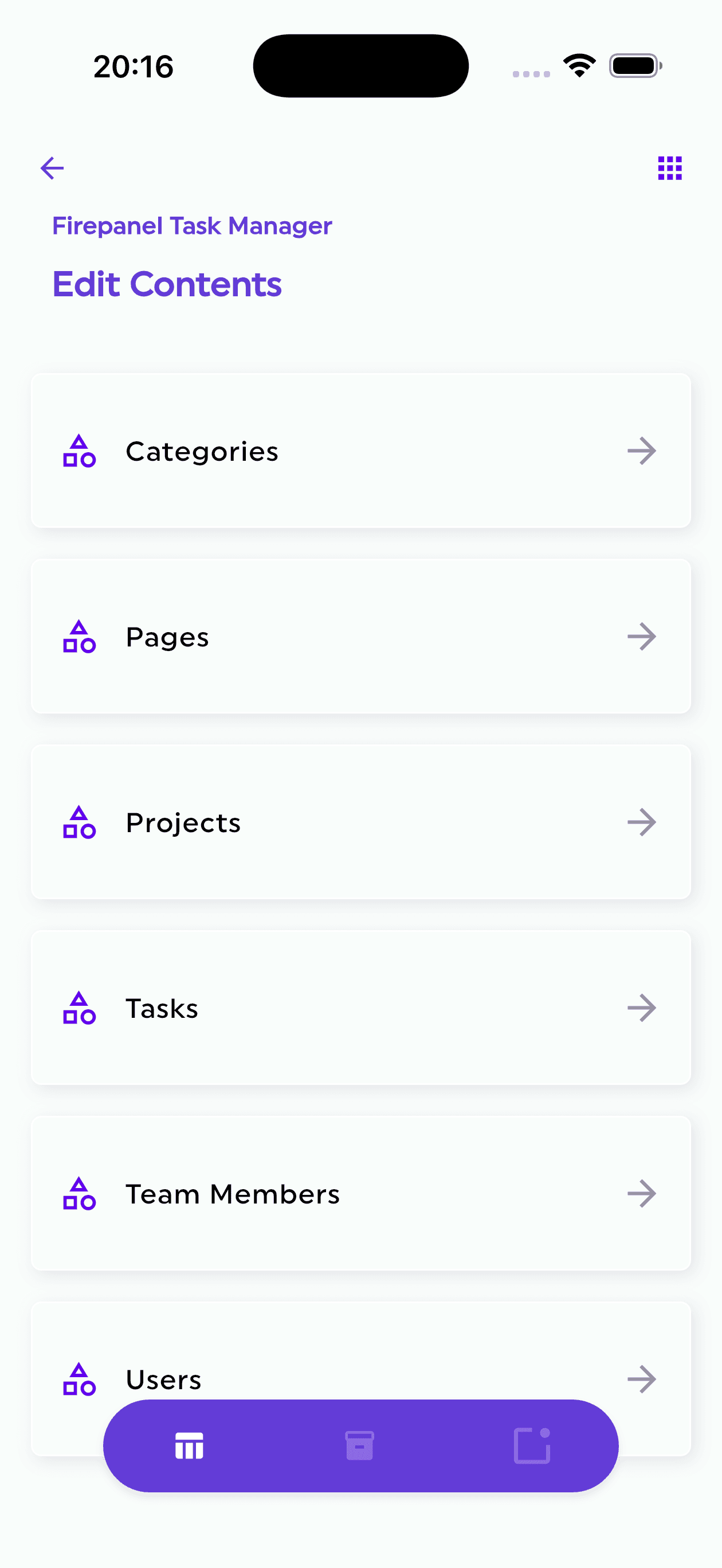
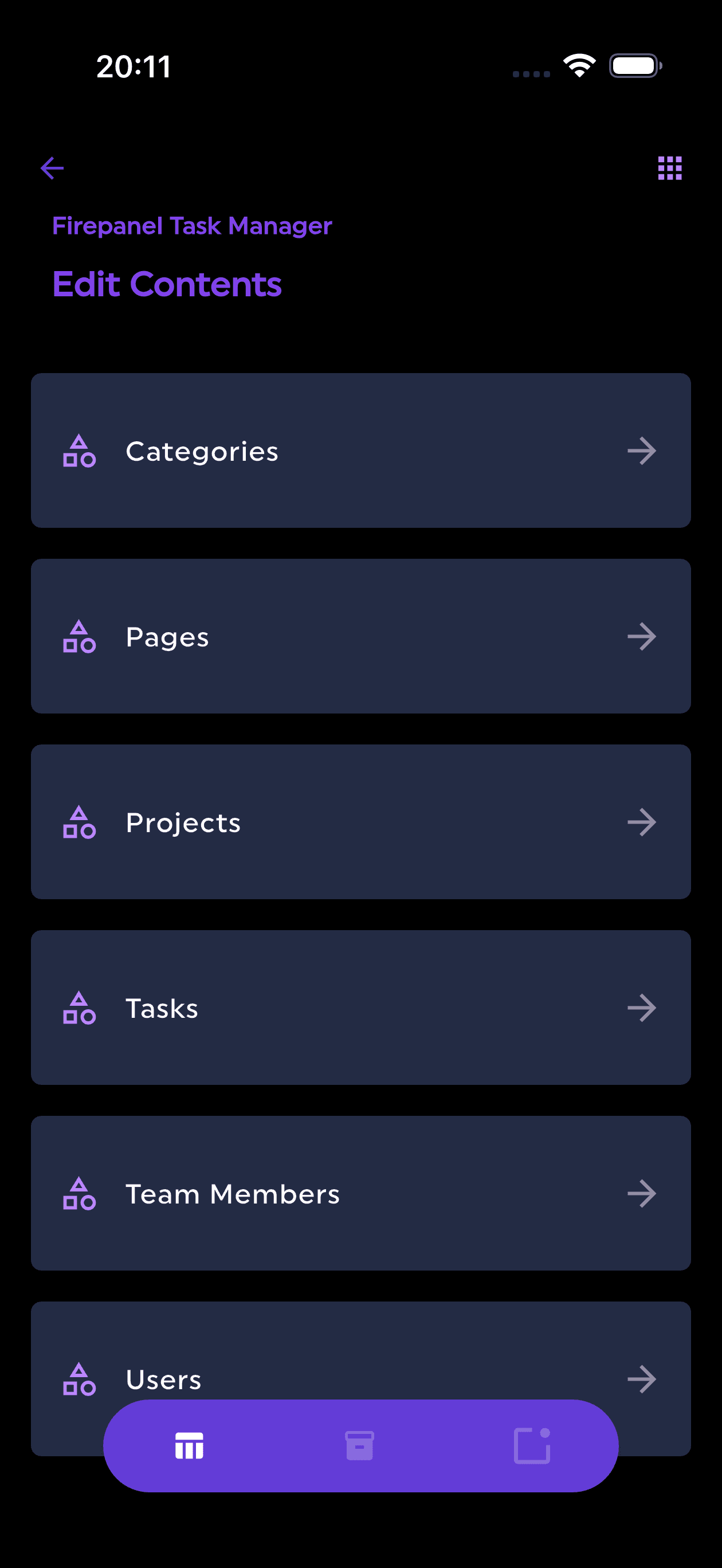
Coming soon
Firepanel app screen 2

We use cookies to understand how you use Firepanel and improve your experience. See our Privacy Policy for details.